You can categorize your content by status.

Are you looking to better manage your writing process? Or do you want to organize and showcase your service/product development roadmap on your site, but don't know how to do it? Kanban channel allows you to organize your tasks according to their progress.
What is 'Field'?
The Field feature allows you to add attributes to your posts, such as status, last modified, check, or assignee. You can sort and filter by fields to view and display posts in the order you want, or just the ones you want.

1️⃣ Sort: You can sort posts in ascending or descending order by selecting specific fields.
2️⃣ Filter: You can set filters to show only posts that meet certain criteria.
3️⃣ Field: You can add and delete fields, edit their names, and set them to be visible or hidden.
Here's how we use it.

We've made our SlashPage roadmap with the kanban channel.
Tip. You can also switch a kanban channel to a list channel.
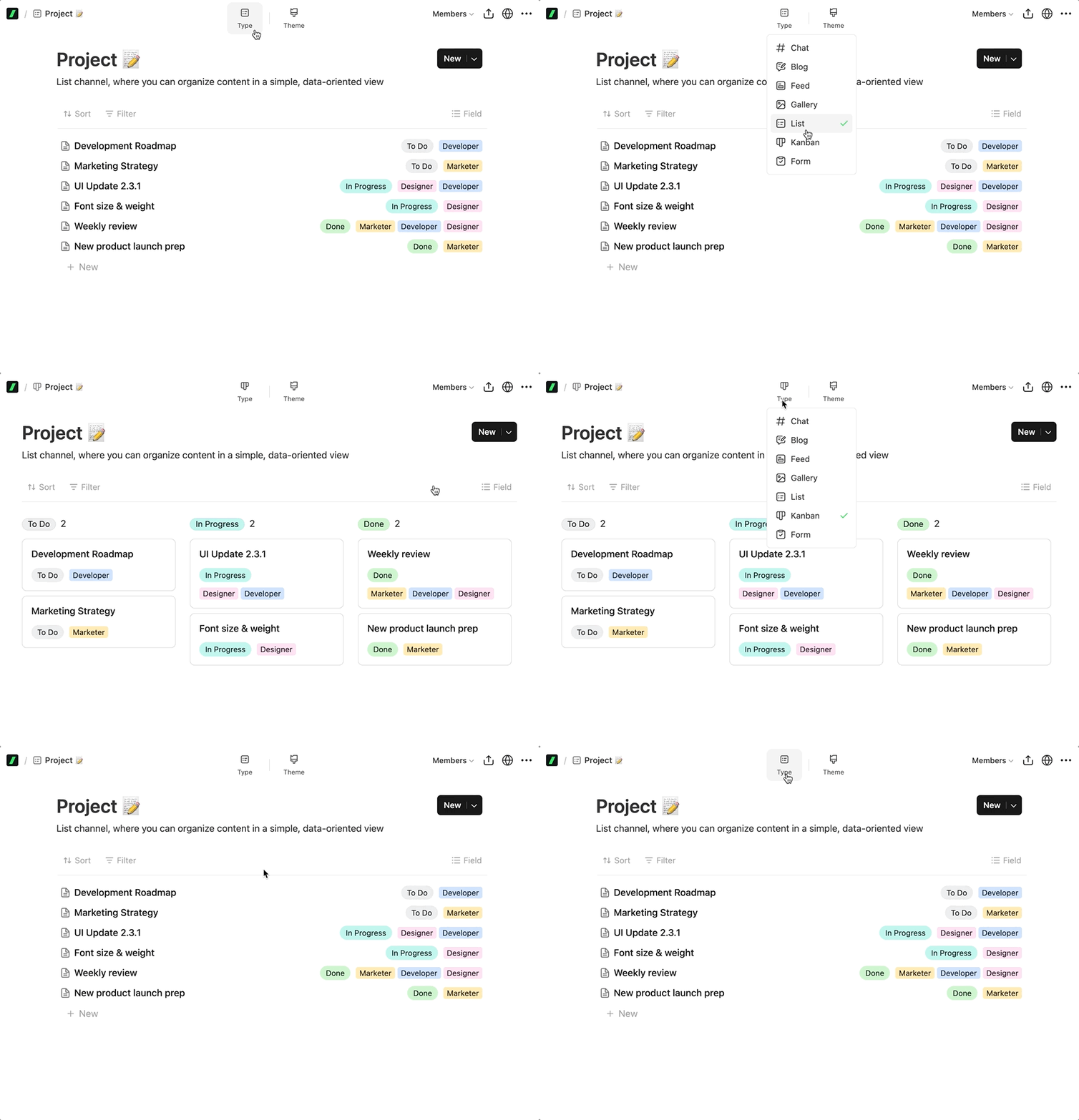
Type /kanban — select the kanban channel and add it to your site now!
Features
Bug Fixes
Features
Bug Fixes
1. You can paste tables from other apps!
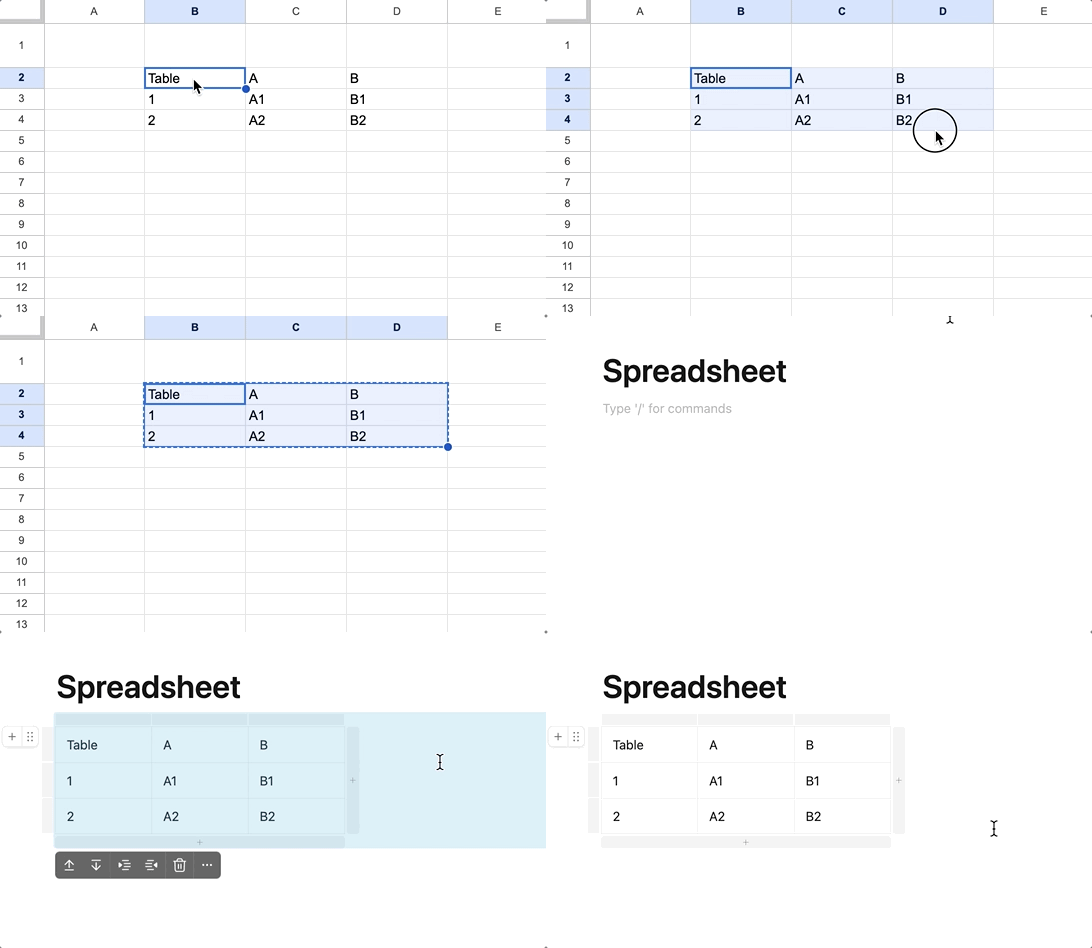
Copy a table from Spreadsheet, Excel, Numbers, etc. and paste it into SlashPage. The table will be automatically formatted.
2. Copy code easily!

Instead of dragging the code inside the code block, you can copy it with a single click.

Subscribe to 'slashpage'
Subscribe to my site to be the first to receive notifications and emails about the latest updates, including new posts.
Join Slashpage and subscribe to 'slashpage'!
Join Slashpage and subscribe to 'slashpage'!
Subscribe

2