What's new
Keep up with new features, bug fixes, and news that empowers you in using slashpage!
Monthly update
What's new
Improvements & fixes
All
Monthly update
What's new
Improvements & fixes
All

What's new
Dashboard has been added to the Form channel
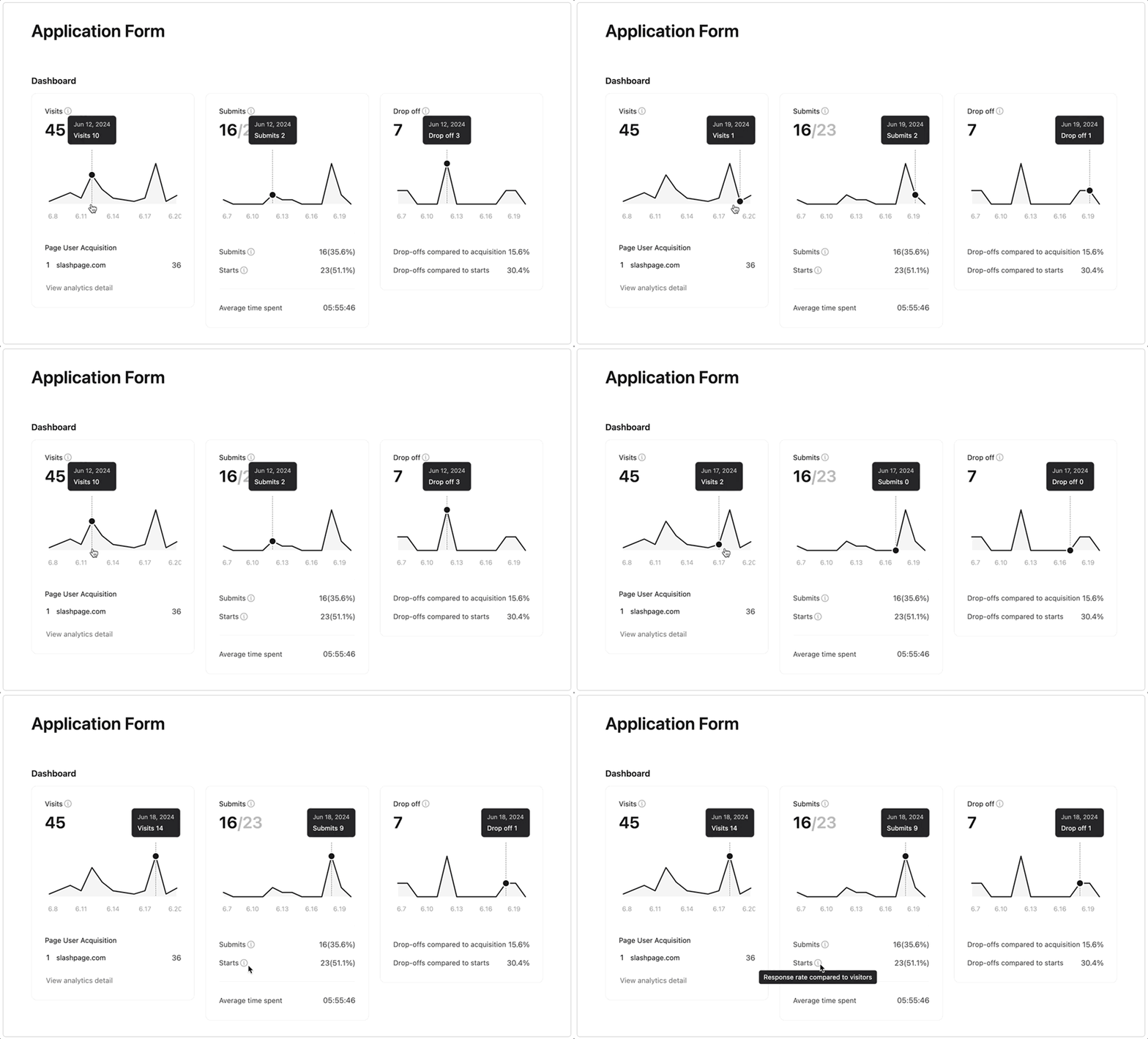
You can find the dashboard in the Summary tab of the form channel.
You can check visit, submission, and drop-off metrics

1.
Visits: You can see how many visitors viewed your form and which sources they come from.

Note: If a visitor accesses the form through your site, their acquisition funnel will show as slashpage.com. So if you want to track your funnel more accurately, try sharing the form channel link directly.
Want to share your form link in a cleaner way? Try Clean URL!
2.
Submits: You can see how many responses were started and submitted. You can also check the average time spent to complete the form.
3.
Drop-off: You can see how many people exited your form without submitting it. You can review the drop-off rate both relative to the page acquisition and the number of starts.
Check both completed and uncompleted responses.

In the Results tab, you can review the incomplete responses by clicking Uncompleted to see which questions each respondent didn't answer.
If a question has a particularly low response rate, you might consider revising it by asking, 'Is the question too sensitive?' or 'Is the form too long?'
If you want to learn more about how to use the Form channel, check out our guide!
Improvements
Improvements
Improvements and Bug fixes
•
You can now revert pages, channels, and posts from the trash can, or permanently delete them immediately.
•
Changes made in edit mode in the Kanban board channels are now synchronized in real-time in view mode.
•
Sections in the top navigation bar naturally adjust to the width of the site.
•
Fixed an issue that prevented site managers from receiving form submission notifications.
•
Fixed an issue where the toolbar for editing the cover image would not appear.
•
Fixed an issue where posts in the Kanban Board and List channels would not scroll when opened.
•
Fixed an issue where forms would not show up in the on-site search results.
Subscribe to 'slashpage'
Subscribe to my site to be the first to receive notifications and emails about the latest updates, including new posts.
Join Slashpage and subscribe to 'slashpage'!
Join Slashpage and subscribe to 'slashpage'!
Subscribe

1
Made with Slashpage