Sign In
공부 내용

aws 서버 관련

Y
yeji Kim

flask_app

시작 시
sudo systemctl daemon-reload
sudo systemctl start flask_app
sudo systemctl enable flask_app
파일 수정 후 → sudo systemctl restart flask_app
sudo fuser -k 8000/tcp (kill my port 8000)
gunicorn main:app \ --workers 1 \ --worker-class uvicorn.workers.UvicornWorker \ --bind 0.0.0.0:8443 \ --timeout 600 //timeout 지정
sudo journalctl -u flask_app -n 30

xampp

sudo /opt/lampp/lampp restart
tail -f /opt/lampp/logs/php_error_log

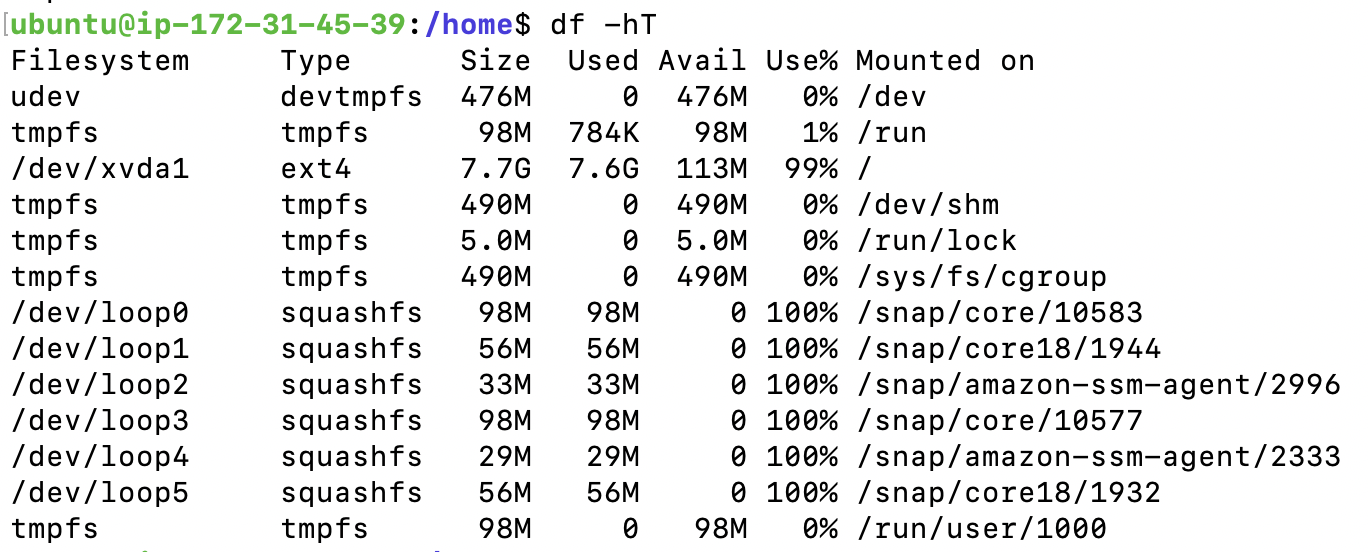
디스크 공간 관리

현재 상태 확인 → df -h
tmpfs 마운트 늘리기
sudo mount -o size=10M,rw,nodev,nosuid -t tmpfs tmpfs /tmp
pip killed → pip install <package> —no-cache-dir

메모리

현재 상태 : free -h
RAM swap
$ sudo swapoff -a $ sudo fallocate -l 4G /yourswapfile $ sudo chmod 600 /yourswapfile $ sudo mkswap /yourswapfile $ sudo swapon /yourswapfile $ echo '/yourswapfile swap swap defaults 0 0' | sudo tee -a /etc/fstab $ free -h

ebs volume 용량 줄이기...

Subscribe to '아무튼-작업일지'
Subscribe to my site to be the first to receive notifications and emails about the latest updates, including new posts.
Join Slashpage and subscribe to '아무튼-작업일지'!
Subscribe
👍