Sign In

Github pages

Y
Yerim
  1. Git&Github

Github Pages

•
리포지토리에 푸시하는 정적 파일을 게시
•
자신만의 웹페이지를 구동할 수 있도록 해준
Github 포스트에 이어서 실습
Settings > Pages에서 https://[자신의 ID].github.io로 연결된 링크를 확인할 수 있다.
만약 해당 링크가 연결되지 않았다면 Branch에서 main을 선택한 뒤 Save를 클릭하고 기다리면 페이지가 생성된다.
해당 페이지에는 index.html 파일에 있는 내용들이 출력된다.

Jekyll

•
텍스트 변환 엔진, 마크업 언어로 글을 작성하면 미리 정의해 놓은 규칙에 따라 정적인 웹사이트를 만들어준다
•
정적인 웹사이트를 만들기 때문에 PHP 등 서버 소프트웨어가 필요 없어, 매우 빠르고 가볍다
•
마크다운 언어로 작성한 포스트를 github에서 commit & push

Jekyll 테마

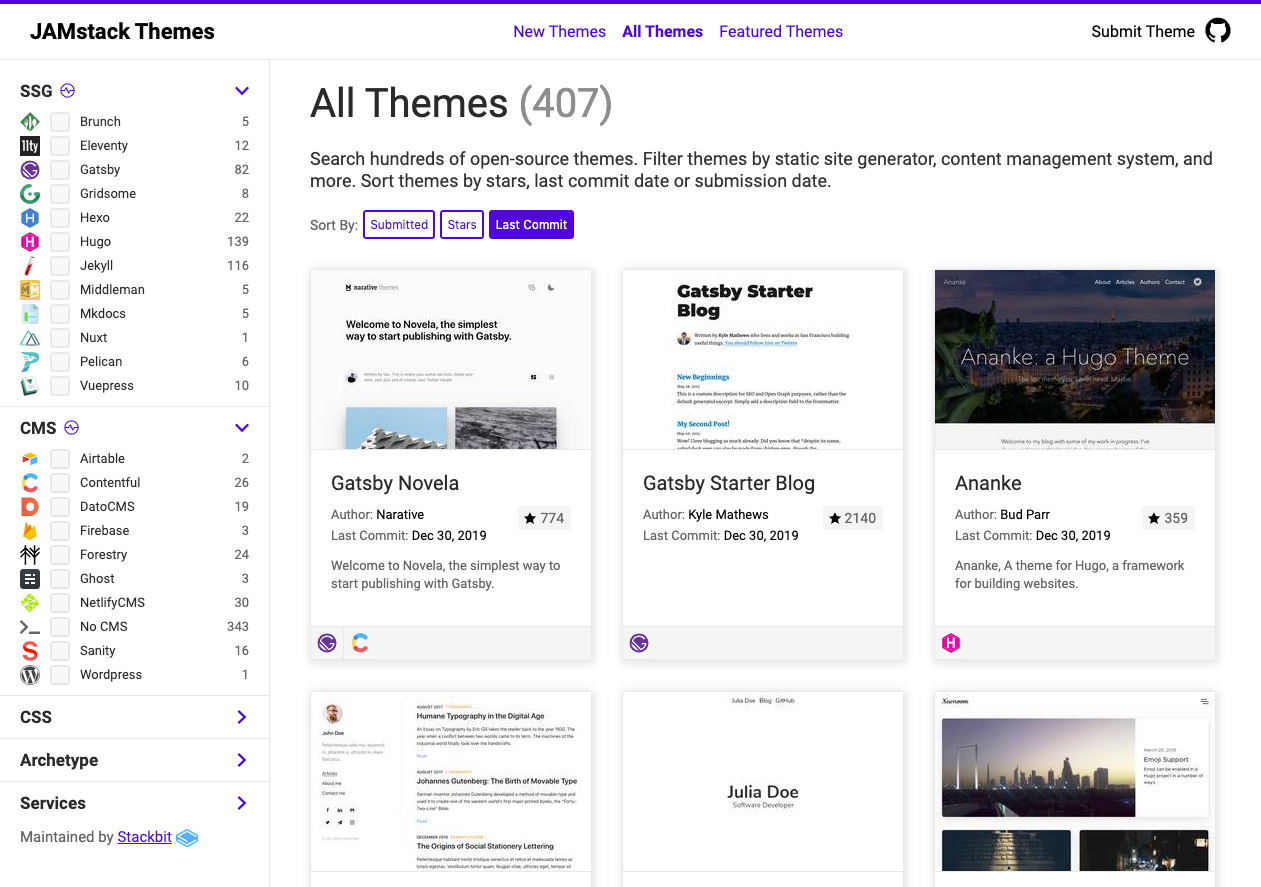
아래의 사이트들에서 Jekyll 테마를 찾을 수 있다
Download를 클릭하여 파일을 다운로드 받아 압축해제 한 뒤 해당 폴더의 파일들을 github.io 폴더에 복사해준다
파일을 다운로드 하지 않고 git clone을 이용하여 복제해 올 수도 있다.
bundle install
bundle exec jekyll build
bundle exec jekyll serve
VSCode에서 terminal을 열고 jekyll을 build한 다음 서버를 실행한다.
실행 결과에 있는 주소로 들어가면 웹 브라우저에서 결과를 확인할 수 있다.
복제된 파일들을 push 해준다.
warning: in the working copy of '.github/FUNDING.yml', LF will be replaced by CRLF the next time Git touches it
warning: in the working copy of '.github/workflows/jekyll.yml', LF will be replaced by CRLF the next time Git touches it
warning: in the working copy of 'Gemfile.lock', LF will be replaced by CRLF the next time Git touches it
warning: in the working copy of 'LICENSE', LF will be replaced by CRLF the next time Git touches it
git add .에서 에러 발생
git config core.autocrlf true
git config --global core.autocrlf true
Yerim-DevNote
Subscribe to 'Yerim-DevNote'
Subscribe to my site to be the first to receive notifications and emails about the latest updates, including new posts.
Join Slashpage and subscribe to 'Yerim-DevNote'!
Subscribe
👍